No one outside TikTok knows exactly how the algorithm works, so warm-up isn't an exact science. But it's quick, free, and something we do with every new account. Here's the process.
Why warm up a TikTok account?
A brand-new account that starts posting immediately can look like spam to TikTok. Warming up signals that you're a real person using the app normally, and engaging with your niche helps TikTok learn which audience your content is for.
Step 1: Set up your profile
Before you start engaging, set up the basics:
- Profile photo: Use your app icon or logo, or an image that fits your niche.
- Username: Keep it short, easy to remember, and tied to your brand or niche.
- Bio: One line explaining what the account is about.
- Account type: Decide between a personal and business account. Personal accounts need 1,000 followers to add a clickable bio link. Business accounts can add a link right away, but lose access to part of TikTok's music library.
Step 2: Engage with your niche for a couple of days
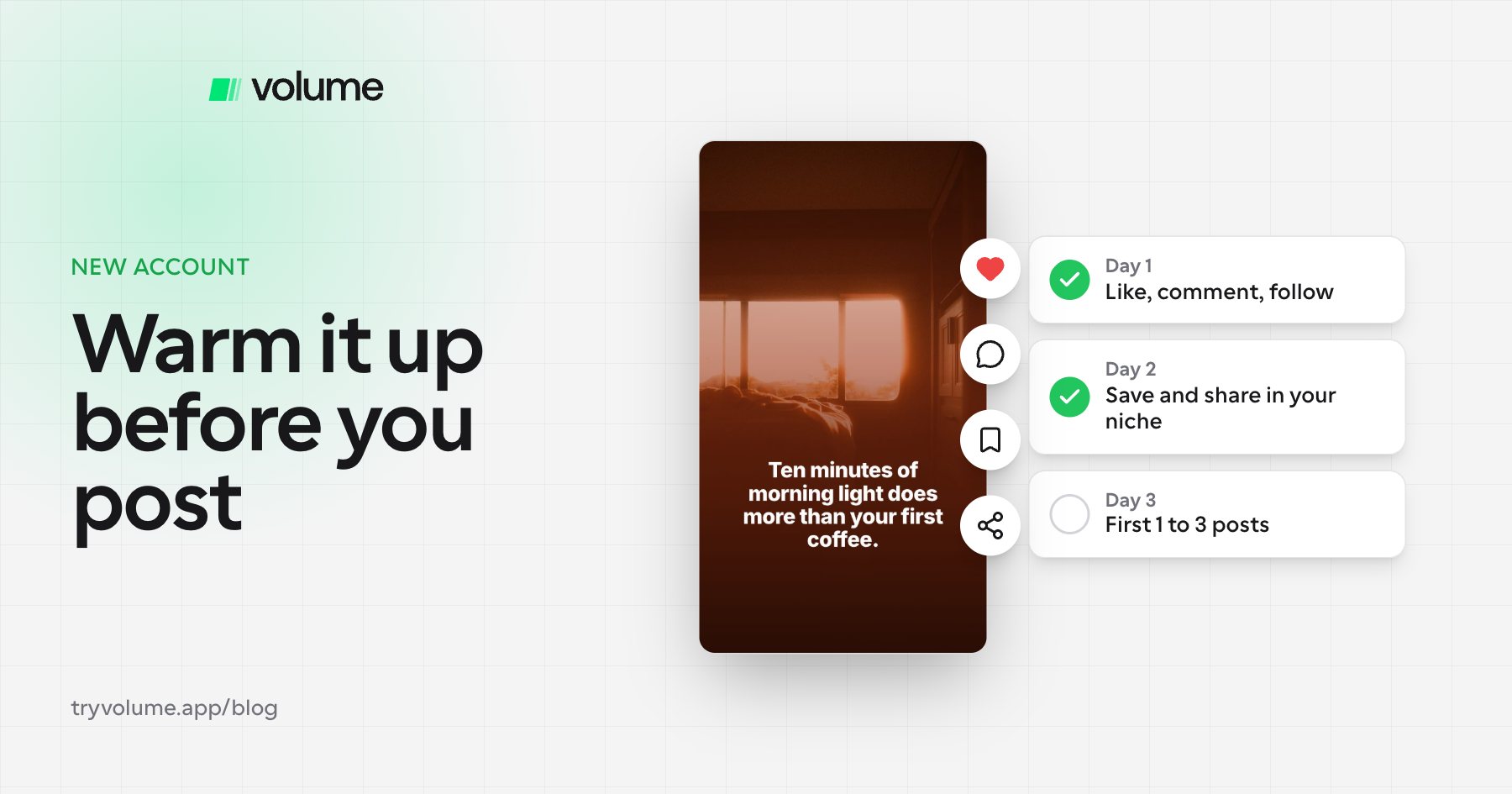
For the first couple of days, don't post. Instead, spend a few minutes a day using TikTok like a real user:
- Like posts in your niche
- Comment on posts
- Share and save posts you find useful
- Follow accounts in your niche
There's no exact formula for how many minutes you need. In our experience, the number of days matters more than the time per day. A few minutes a day over a couple of days is enough.
Step 3: Start posting slowly on day one
Once warm-up is done, post one to three times on your first day. After that, you can post normally. You don't need to limit yourself much, but avoid posting every few minutes, which can look like spam or bot behavior. Leaving 60 to 90 minutes between posts is a good rule of thumb. See how many TikTok slideshows you should post per day for more.
Step 4: Keep engaging after you start posting
Warm-up isn't a one-time task. Keep liking, commenting, and following on the account so TikTok continues to see it as an active, real person, even if you're auto posting.
What if your first posts get 0 views?
Don't panic after one post. Keep going.
- Still 0 views after about five posts: Start a new account and warm it up again. Zero views means TikTok isn't showing your content to anyone, which suggests the account is being limited.
- A few hundred views per post: That's not a shadowban. TikTok is showing your content, but it isn't catching on. Focus on improving your hooks and content.
Are you shadowbanned?
Many founders think they're shadowbanned when they're not. If your posts get zero views, TikTok may be limiting your account. If you're stuck at a few hundred views, the account is working, and the content needs to get better. Test new hooks, copy formats that already perform in your niche, and keep posting.
Warming up multiple accounts
If you're running several accounts for one brand or app, warm up each one separately. Accounts don't warm up collectively, so every new account needs its own couple of days of engagement.
Quick warm-up checklist
- Set up your profile photo, username, and bio
- Choose a personal or business account
- Spend a few minutes a day for a couple of days engaging with your niche
- Post one to three times on day one
- Post normally after that, spacing posts out
- Keep engaging manually
- If you get 0 views after about five posts, start a new account
FAQ
- How long should you warm up a TikTok account?
- A couple of days is usually enough. The number of days matters more than how many minutes you spend each day.
- What do you do when warming up a TikTok account?
- Use TikTok like a normal person: like, comment, share, save, and follow accounts in your niche. Don't post during warm-up.
- How many times should I post on a new TikTok account?
- One to three times on your first day after warm-up. After that, you can post normally, spacing posts 60 to 90 minutes apart.
- How do I know if I'm shadowbanned on TikTok?
- If your posts consistently get zero views, TikTok may be limiting your account. If you're getting a few hundred views, you're not shadowbanned. Your content just needs to improve.
- Do I need to warm up every TikTok account?
- Yes. Each account needs to be warmed up separately.
What’s working on TikTok this week, by niche
Updated daily: the formats, hooks and slideshows beating their own accounts’ usual views in each niche, with real examples and the numbers. Free to read.
- Fitness on TikTok
- Health and wellness on TikTok
- Food and nutrition on TikTok
- Beauty on TikTok
- Fashion on TikTok
- Money on TikTok
- Business and marketing on TikTok
- Tech and AI on TikTok
- Learning and careers on TikTok
- Productivity on TikTok
- Relationships and dating on TikTok
- Family and pets on TikTok
- Home and real estate on TikTok
- Travel on TikTok
- Sports and outdoors on TikTok
- Cars on TikTok
- Gaming on TikTok
- Faith and spirituality on TikTok
- Culture and creative on TikTok
Across every niche: What's working on TikTok, slideshows and carousels, viral hooks, Meta ads that keep running, app marketing, brands by what they sell, TikTok trends, best time to post on TikTok.
Compare tools
- Volume vs Virlo: Which Tool Shows You What's Working on TikTok?
- Volume vs ReelFarm: Which TikTok Slideshow Tool Is Right for You?
- Best Tools to Find Viral TikTok Formats and Trends in 2026
- Virlo Alternatives in 2026: 6 Tools for Finding What's Working on TikTok
- TikTok Creative Center Alternatives: 5 Tools That Show What's Working in 2026
- Best TikTok Analytics Tools in 2026 (Free and Paid)
- Best Free Social Listening Tools in 2026, Plus One for TikTok and Instagram
- Best AI TikTok Slideshow Makers in 2026
- ReelFarm Alternatives in 2026: 5 Tools for TikTok Slideshows
- Best Ad Inspiration Tools in 2026: Meta and TikTok Ad Libraries Compared
- Best MCP Servers for Marketing in 2026
Make posting easier after warm-up
Once your account is warmed up, the key is posting consistently. Volume lets you make slideshows from winning formats in your niche and schedule them to TikTok through TikTok's official API, so you can keep engaging manually while your content goes out on time.