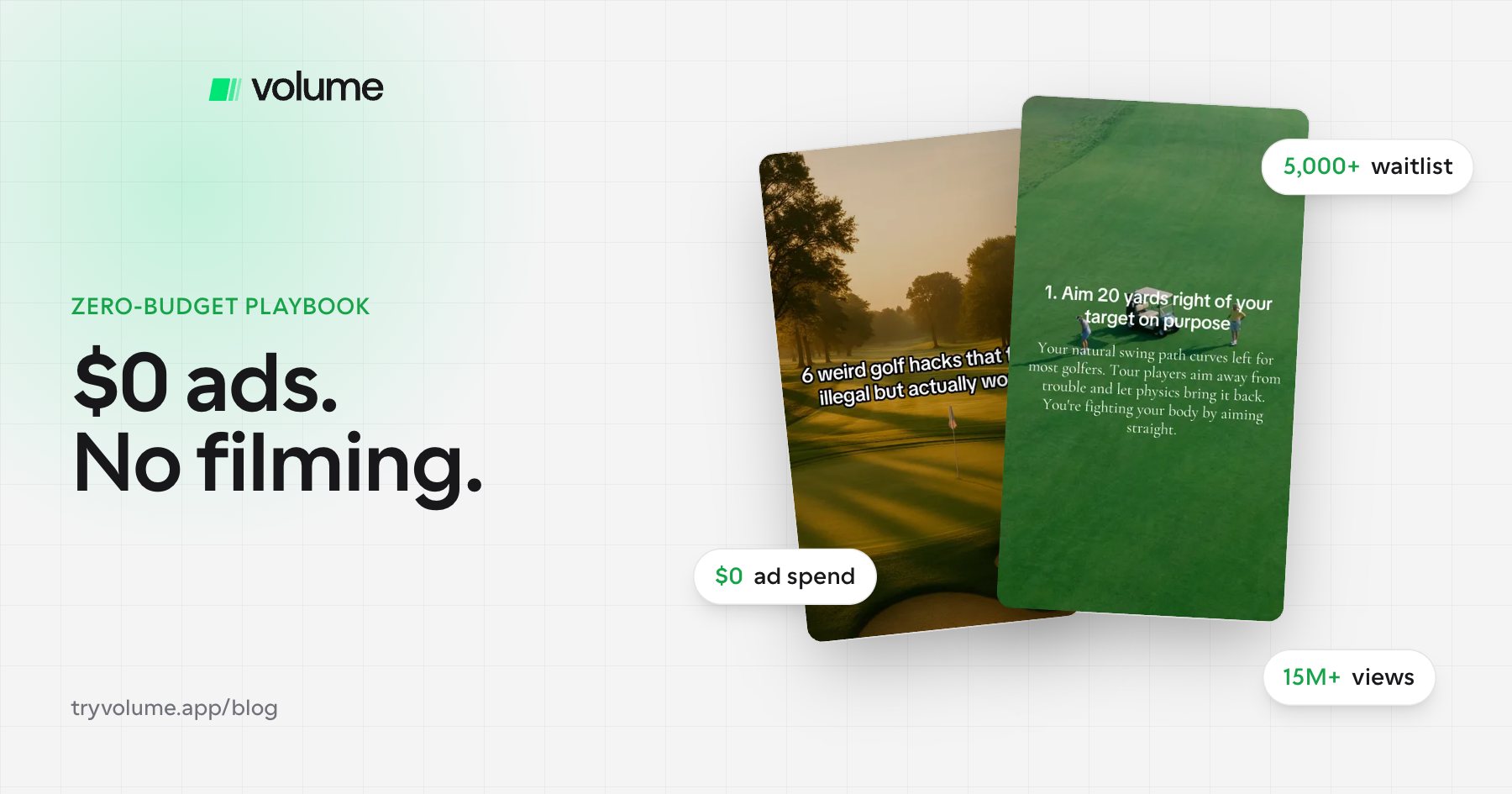
Here's the exact playbook, based on how the team behind Scratch AI built a waitlist of more than 5,000 people before the app even launched.
Why TikTok is the best place to start with zero budget
If you have no marketing budget, social media is the only real option. Paid ads, influencers, and agencies all cost money upfront. TikTok is free to start, and its algorithm shows content to people who don't follow you yet, so a brand-new account can reach thousands of people with the right post.
Why slideshows instead of videos
Slideshows let you market your app without filming anything. They're faceless, so you're not tied to one person or setting. They're also repeatable: once you find a format that works, you can reuse it over and over, while videos usually need a new concept every time. Learn more in our guide on how to make TikTok slideshows for your app.
The zero-budget TikTok playbook, step by step
1. Find your app's aha screen
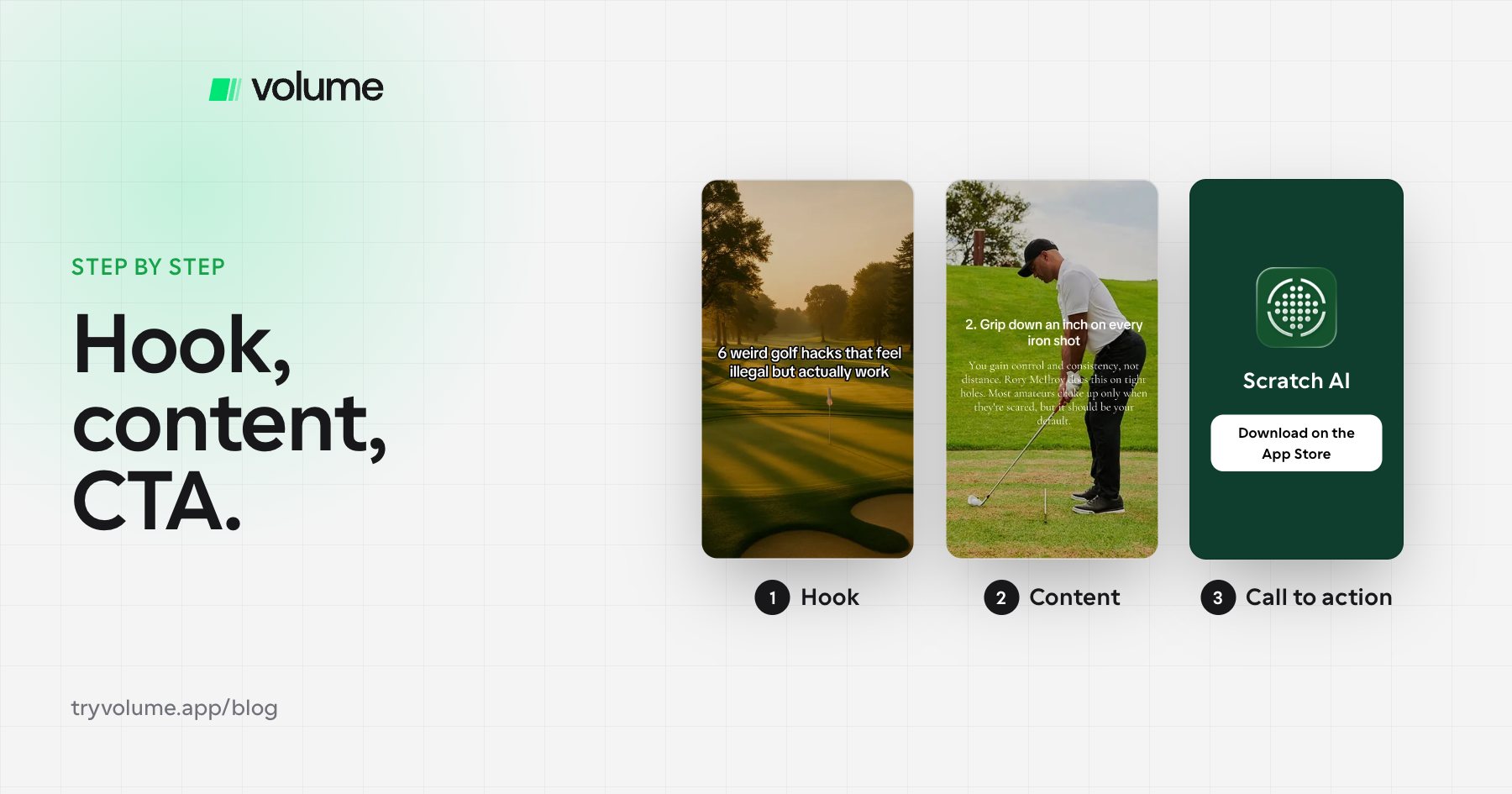
Your aha screen is the one screen that instantly shows what your app does. You'll use it in your call to action slide, so anyone who sees it understands why they should download. For a calorie tracker, that's the screen showing the calories and nutrition info after you scan a food.
2. Set up and warm up your account
Create a TikTok account for your app. For the first couple of days, spend 10 to 15 minutes a day liking, commenting, and engaging with posts, especially posts in your niche. This helps TikTok understand what your account is about and who to show your content to.
3. Copy slideshows that already work
Find accounts in your niche whose slideshows are getting strong views, and copy their formats and styles. About 80% of your content should follow proven formats, with the other 10 to 20% saved for your own experiments. In week one, post mostly copies. It gets the ball rolling and builds a posting rhythm, since coming up with dozens of original ideas from scratch is hard.
4. Write hooks that make people swipe
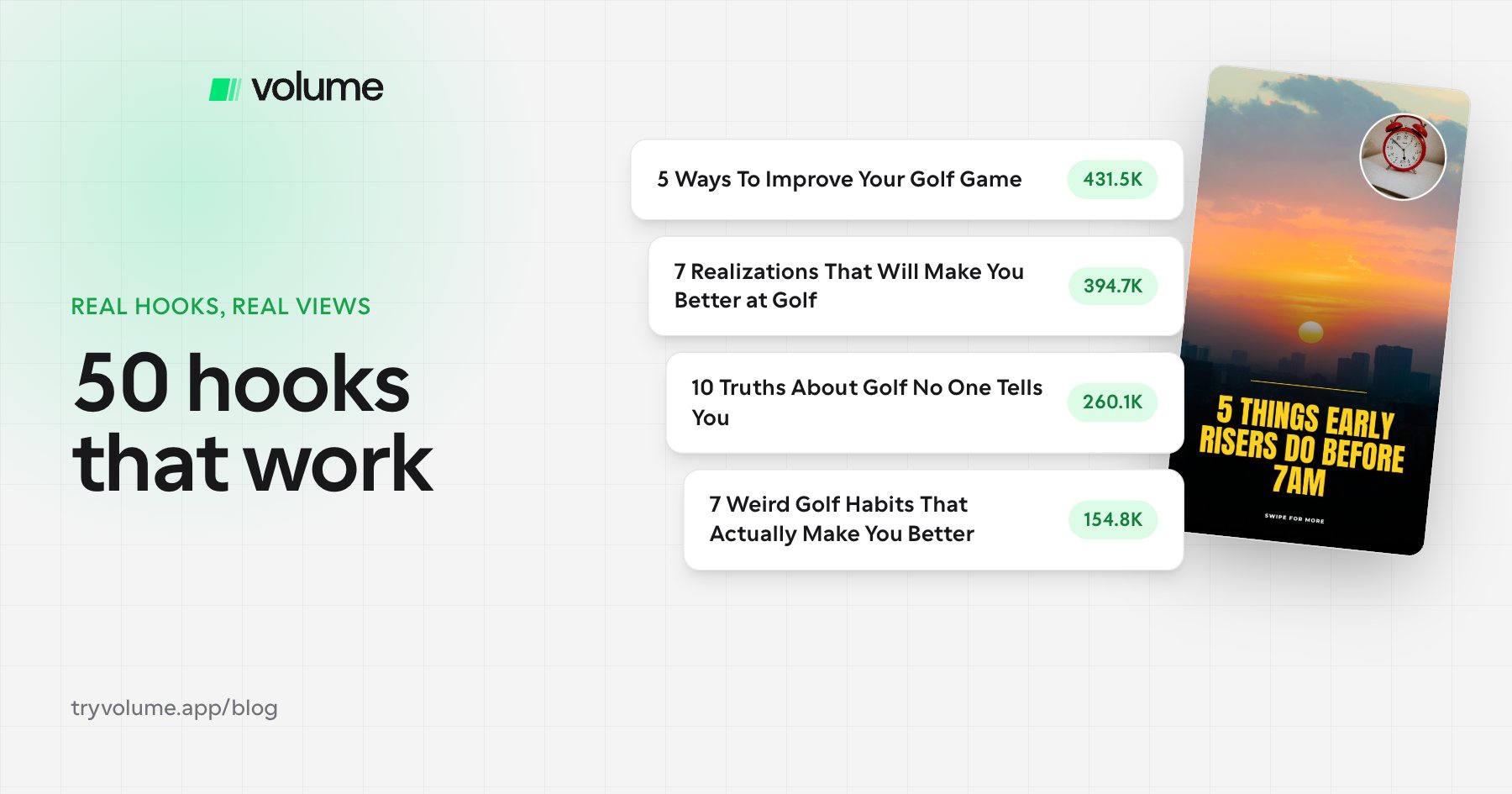
Your first slide decides whether anyone sees the rest. Use a clear promise with a bit of curiosity, like "7 weird golf habits that actually make you better." For 50 examples, see our guide to TikTok slideshow hooks that work.
5. Lead with value, not sales
When you're starting out, focus on making great content, not pitching your app. Educational and entertaining slideshows earn the shares and saves that help TikTok push your content further. Once you have momentum and an audience, you can make your call to action more direct. In the beginning, a soft mention of your app is enough.
6. Post consistently
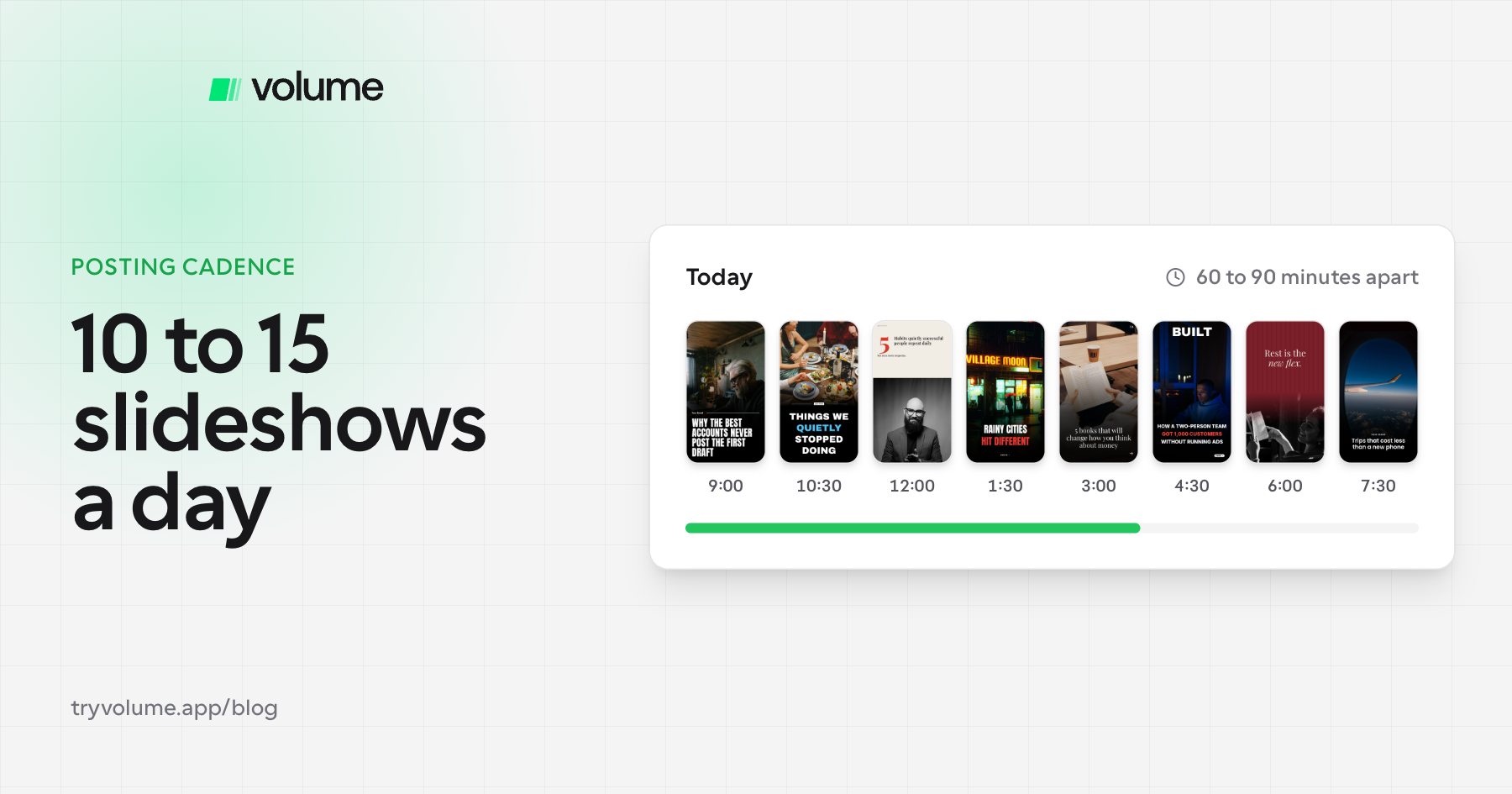
Consistency matters more than any single day's output. At Scratch AI, the team posted 10 to 20 slideshows a day across a couple of accounts, all manually. You don't need to start there. Pick a number you can sustain every day and build from it. See how many TikTok slideshows you should post per day for more.
7. Give viewers a way to find your app
Your call to action slide should show your app working, say its name, and tell people where to get it. For a link, there are two paths:
- Personal accounts need 1,000 followers to unlock a clickable bio link.
- Business accounts can add a link without a follower minimum, but lose access to part of TikTok's music library.
If you're on a personal account under 1,000 followers, use this workaround from Scratch AI: ask viewers to comment a keyword (like "golf"), then DM them the link.
8. Give it time
Most founders expect results in the first week, or even the first month. TikTok growth usually takes weeks or months. The more you post, the faster you collect data, learn what works, and double down on winners.
Case study: How Scratch AI built a 5,000-person waitlist with $0
Before Scratch AI launched, the team decided to build a waitlist using nothing but TikTok slideshows.
- What they posted: 10 to 20 slideshows a day across a couple of accounts, made and posted manually
- Their CTA slide: It showed the app and invited viewers to join the Scratch AI waitlist
- Before 1,000 followers: They asked viewers to comment a keyword like "Scratch AI" or "golf," then DMed them the waitlist link
- After 1,000 followers: They added the waitlist link to their bio
The result was more than 5,000 people on the waitlist before launch, with no ad spend and no filming. After launch, Scratch AI kept posting slideshows, earning more than 15 million views and hitting $100k ARR in 7 days.
Should you run multiple TikTok accounts for one app?
Multiple accounts can help, but quality comes first. One great account beats several mediocre ones. If you're a solo founder, focus on one or two accounts you can run well. Add more only once you can keep the quality high on each.
Other no-filming formats
Slideshows are the most reliable no-filming format for apps because they're easy to make, easy to repeat, and easy to work your product into. AI UGC, which uses AI-generated people talking about your app, is another option, though in our experience slideshows are the better starting point.
Common mistakes to avoid
- Giving up too early. Results usually take weeks or months, not days.
- Being too salesy. Make great content first and build momentum. You can always add a stronger call to action later.
- Posting inconsistently. Posting a lot one day and nothing the next week kills momentum.
- Starting from scratch. Copy proven formats first, then experiment.
- Skipping the warm-up. Spend your first few days engaging in your niche before you post.
FAQ
- Can you market an app on TikTok for free?
- Yes. Creating a TikTok account and posting slideshows costs nothing. Scratch AI built a waitlist of more than 5,000 people using only free TikTok slideshows.
- How do you market an app on TikTok without showing your face?
- Use faceless slideshows: swipeable image posts with text. They don't require filming, and you can feature your app on the call to action slide.
- How long does it take to get downloads from TikTok?
- Usually weeks to months. Consistent posting speeds things up because you learn what works faster.
- How many slideshows should I post when starting out?
- As many as you can sustain every day. Scratch AI posted 10 to 20 a day across a couple of accounts, but consistency matters more than volume.
- How do I get people to download my app without a link in bio?
- Ask viewers to comment a keyword, then DM them the link. You can also tell them to search your app's name on the App Store in your call to action slide.
Save time once it's working
Everything in this playbook can be done by hand for free, and that's how Scratch AI started. Once you've found formats that work and want to post more without spending hours designing, tools like Volume can turn winning formats into slideshow campaigns that post to TikTok on a schedule.