Here's how to tell the difference, whether auto posting hurts reach, and how to keep your account healthy.
Safe vs. unsafe TikTok automation
Safe: tools that use TikTok's official API
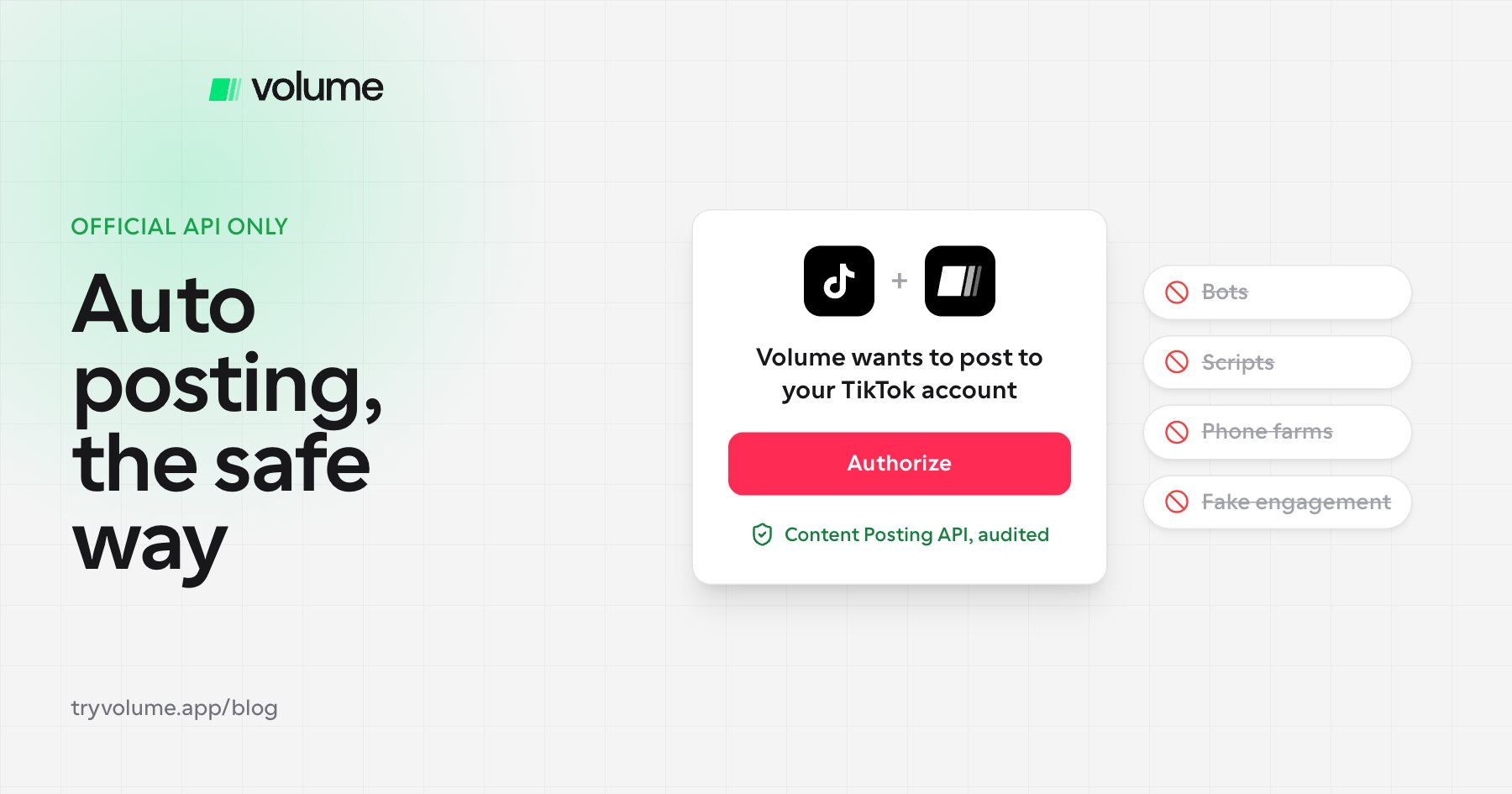
TikTok's Content Posting API lets approved apps post directly to your account after you give them permission. It supports photo posts, which is what slideshows use.
Before an app can post publicly, it has to pass TikTok's audit. Apps that haven't passed can only post privately until they complete an audit that checks compliance with TikTok's Terms of Service. So if a tool posts publicly to your account through the official API, it has passed TikTok's review.
Risky: bots, scripts, and workarounds
TikTok's Community Guidelines strictly prohibit automation tools, scripts, or other tricks designed to bypass its systems, and violations can lead to content removal and account bans. Bot tactics like auto-commenting, mass DMs, and script-based engagement face stricter enforcement.
In short, posting your own content on a schedule through an approved tool is fine. Faking engagement or getting around TikTok's systems is not.
Does auto posting hurt your reach on TikTok?
No. In our experience running slideshow campaigns, we haven't seen any long-term impact on reach from auto posting compared with posting manually. What matters far more is account health: whether TikTok sees your account as an active, real person.
How to keep your account healthy when auto posting
- Warm up new accounts. For the first couple of days after creating an account, don't post. Spend time liking, commenting, sharing, saving, and following accounts, especially in your niche.
- Stay active manually. Auto posting handles publishing, but keep engaging on the account yourself. Showing TikTok you're a real person is huge.
- Space out your posts. Leave 60 to 90 minutes between posts so they don't compete with each other. See how many TikTok slideshows you should post per day.
How to tell if a TikTok automation tool is safe
- It uses TikTok's official Content Posting API. You connect your account through TikTok's own login and permission screen, not by handing over your password.
- It posts publicly. Only apps that have passed TikTok's audit can post public content through the API.
- It doesn't fake engagement. Avoid any tool that offers auto-likes, auto-comments, auto-follows, or mass DMs.
- It doesn't need a phone farm or emulator. Tools that run your account through virtual or emulated devices aren't using the official API.
FAQ
- Can TikTok ban you for auto posting?
- Not for posting through an approved tool that uses TikTok's official API. TikTok bans accounts for automation that bypasses its systems, such as bots, scripts, and fake engagement.
- Does TikTok penalize scheduled posts?
- In our experience, no. We haven't seen a long-term difference in reach between auto-posted and manually posted slideshows. Account health matters more.
- Is it safe to use a TikTok scheduler?
- Yes, as long as it uses TikTok's official Content Posting API and has passed TikTok's audit. You should connect through TikTok's own login screen.
- How often should you auto post to TikTok?
- As often as you can sustain every day, with 60 to 90 minutes between posts. Consistency matters more than any single day's number.
- Do I need to warm up a TikTok account before auto posting?
- Yes. Spend the first couple of days engaging with posts in your niche before you start posting, and keep engaging manually after that.
Auto post the safe way
Volume posts slideshows through TikTok's official Content Posting API and has passed TikTok's audit, so your campaigns publish the approved way. You connect your account through TikTok's own login, set a schedule, and focus on staying active and testing new hooks.